
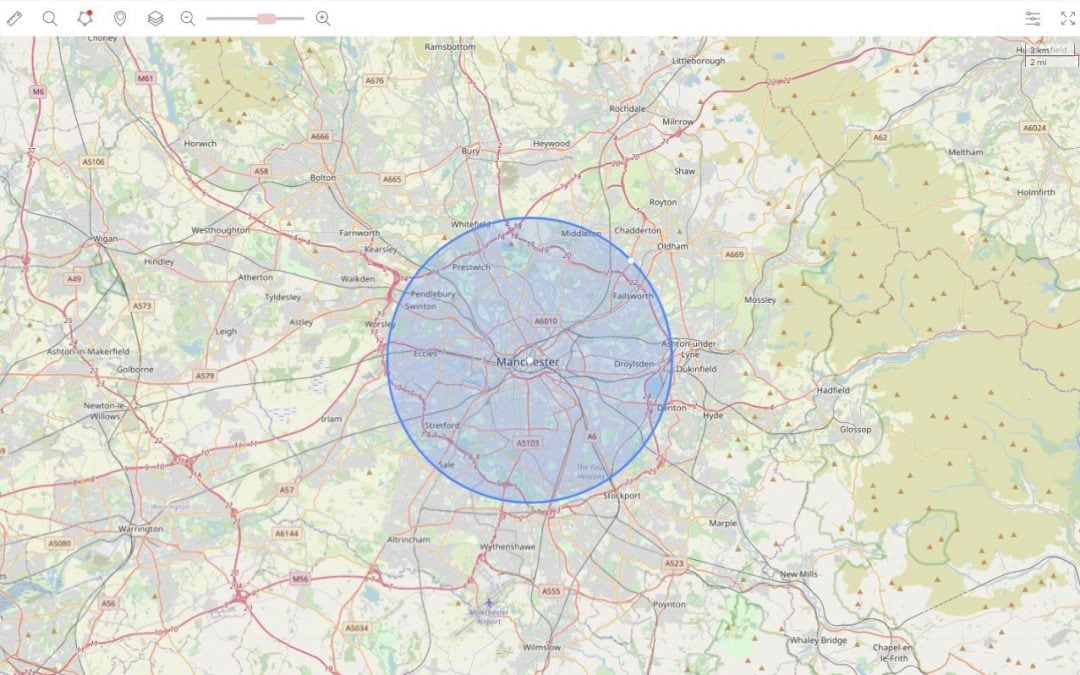
Not many people know about the power of geofence alerts. They’re one of the most valuable features of GPS tracking software, yet these alerts are still extremely underutilised by most commercial fleet owners and managers. In this article, we will explain what geofence alerts are and discuss how your business can benefit from using them. We will also describe how you can create geofence alerts in Dropapin to ensure you know where your vehicles and assets are at all times.
What Are Geofence Alerts?
Geofences are virtual geographic boundaries. They enable GPS software to trigger an alert when a device enters of leaves a particular area. Geofences can be created as a radius around a certain area or point of interest, such as around a city, neighbourhood, customer site, offices, or any other area you wish to monitor.
The Benefits of Using Geofence Alerts
As a fleet owner or manager, you can start taking advantage of geofence alerts in a variety of ways. The most common benefits include:
- Be alerted when vehicles or assets enter and leave job sites – Setting up a geofence alert around a job site will enable you to be notified when a vehicle or asset enters and leaves the site. As a result, you will have access to historical evidence of the exact times a vehicle or asset was located on-site.
- Be alerted when vehicles or assets enter and leave your office – Geofences can also be set up to notify you when a vehicle or asset arrives at your office and leaves for the day. This is particularly useful as it will highlight whether your staff are arriving at work and leaving work on time. Furthermore, setting up a geofence around your office will ensure that you are always kept fully informed about which vehicles or assets are currently deployed in the field and which are not.
- Be alerted when a vehicle or asset has been stolen – If you’re hoping to boost the security of your vehicles, geofences are essential. Let’s say you’re a business which only serves customers in a particular county and there should be no reason for your vehicle or asset to be travelling outside this area. If you set up a geofence alert which extends to the boundaries of the county you operate within, you will be instantly notified when your vehicle or asset leaves the area. Therefore, if your vehicle or asset has been stolen and driven to another area, you will be the first to know! This way, the likelihood of your stolen vehicle or asset being recovered is much higher as you can contact the police as soon as possible and let them know where your vehicle or asset is heading towards.
How to Create Geofence Alerts in Dropapin
Creating geofence alerts in Dropapin is easy and takes less than a couple of minutes to set up. You can add geofences in the “tracking” section of our software. From here, you can create a zone by clicking the “zone tool” located just above the map. Now, you’ll get the option to choose which shape zone you would like to create: circle, rectangle or polygon. After choosing your shape, simply click on the map and drag your mouse to create a zone around the desired area. Finally, give the zone a name and click “add new zone” – and you’re done! It really is that simple.
More of a visual learner? Click here to watch our quick 1-minute training video on how to add geofence alerts.
Final Thoughts
Thank you for taking the time to read our article. We hope you now have a better understanding of geofence alerts and how they can benefit your business. If you have any questions regarding the topics discussed in this article, please don’t hesitate to get in touch. A member of our expert team will always be happy to help.
